Cow Coloring Sheet Maker
A friendly spotted cow, a cow face with a bell, a barn and more farm pictures. Print one big picture or six to a page.
Recent
Your last 10 settings, saved only in this browser. Nothing is uploaded.
How to make a cow coloring sheet
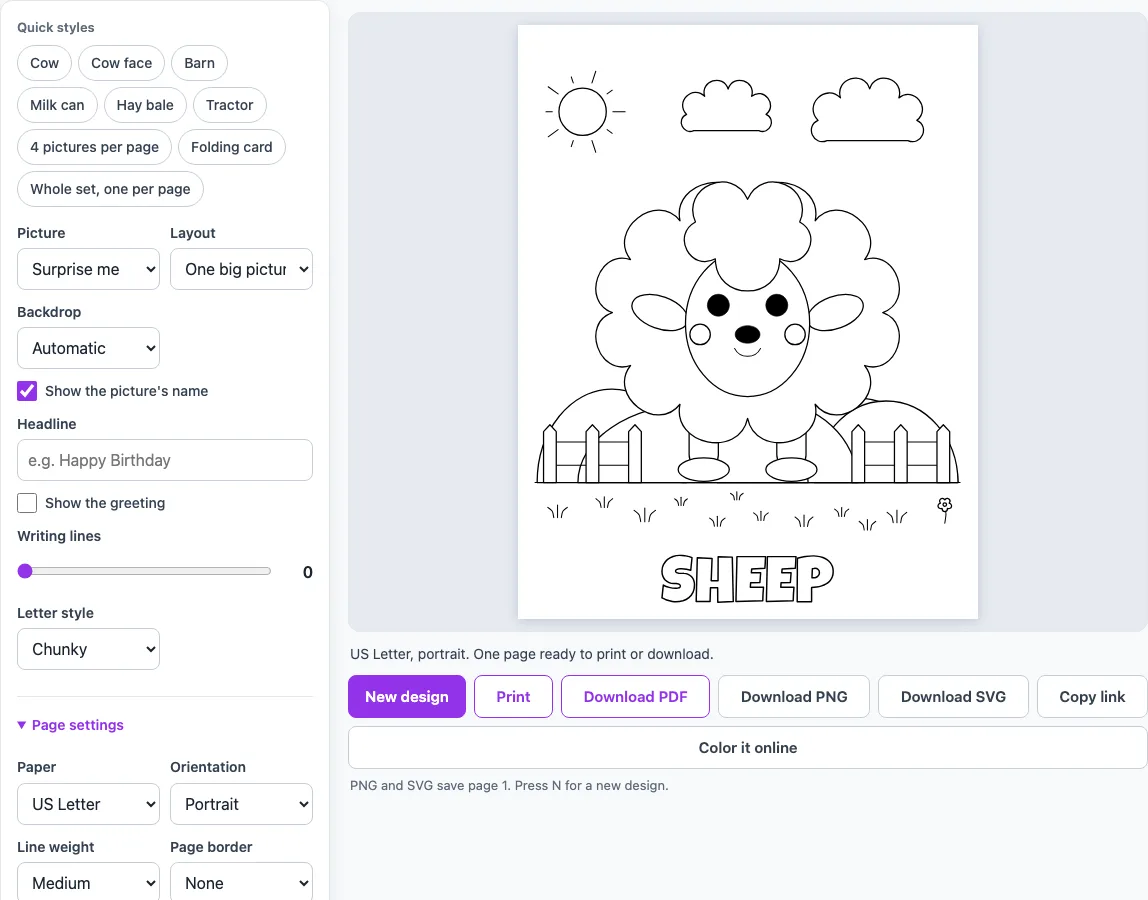
- Click a quick style such as Cow, Cow face, Barn, Milk can, Hay bale or Tractor. Or open the ‘Picture’ menu and choose a drawing, or leave it on ‘Surprise me’.
- Open ‘Layout’ and choose ‘One big picture’, ‘2 pictures’, ‘4 pictures’, ‘6 pictures’ or ‘Folding card’.
- With one big picture, open ‘Backdrop’. ‘Automatic’ puts the farm behind the cow, barn and tractor; you can also pick Meadow, Pond or another scene, or ‘None’ for a plain page.
- The picture’s name is shown under each picture by default. Untick ‘Show the picture’s name’ to remove it.
- Type a ‘Headline’ of up to 40 characters, set ‘Writing lines’ from 0 to 6 and choose a ‘Letter style’ of Chunky or Rounded.
- Under ‘Page settings’, choose the paper (US Letter or A4), orientation, line weight (Thin, Medium or Thick) and page border. You can also add a title and a name line.
- Set ‘Number of pages’ (1 to 30) for a class set or a small book.
- Press ‘New design’ (or the N key) for a fresh page with the same settings. Then press ‘Print’ or ‘Download PDF’.
‘Download PNG’ and ‘Download SVG’ save page 1 as an image, ‘Copy link’ copies an address that reopens the same page, and ‘Color it online’ opens the same picture in the site’s online coloring tool.
What cow pictures can I print?
The cow coloring sheet maker has a full-body cow with patches, small horns and a tail, and a cow face with a tuft of hair, a patch over one eye and a collar with a bell. Next to them are a barn with a hay-loft window and an X-braced door, a milk can with two handles and a heart on the label, a round hay bale with a spiral of straw, and a tractor. The other farm animals are a pig, a sheep, a horse, a duck and a bunny. The cow face works well as a cow head coloring page, and the full cow is the picture most people want when they search for a cute cow coloring page.
What colors can I make my cow?
A cow coloring page does not have to be black and white. Many dairy cows in the real world have black and white patches, and others are brown, tan or red with a white face. Cattle come in more than 1,000 recognized breeds, so almost any natural color is fine. For a storybook cow you can use pink, purple or rainbow patches. The drawing has patches on the body and one patch over an eye on the cow face, so a child can color each patch a different color or leave them white.
Cow, bull or calf?
A cow is an adult female, a bull is an adult male and a calf is a young animal. People also say cow for the whole species, which scientists call cattle. Cattle are raised for milk, meat and leather, and they were domesticated about 10,500 years ago. A short farm lesson can follow the coloring: after coloring the milk can, children can say what other foods come from milk. The milk can on this page has a heart on the label, so it also works as a simple still-life to color.
Can I make a farm coloring book?
Yes. Choose the quick style ‘Whole set, one per page’ to make an 11-page pack with one picture on each page, or the ‘4 pictures per page’ style to put four different pictures on every sheet. Each page also has room for a headline and writing lines, so children can write a sentence about the picture. Picture names printed under each drawing help early readers match words to pictures.
Frequently asked questions
Can I put several cows on one page?
The ‘2 pictures’, ‘4 pictures’ and ‘6 pictures’ layouts put different pictures from the set on one sheet. When you choose Cow as the picture, the cow comes first and the other places are filled with other pictures, such as the barn or the pig. They are not several copies of the same cow.
Is there a highland cow or a baby calf?
Not as a separate drawing. The set has a spotted cow and a cow face. To make it look different, color the cow brown or red, or draw long hair or horns yourself.
Does New design change the cow?
The cow drawing stays the same. With Backdrop on ‘Automatic’ the scenery around it, such as the fence, clouds and grass, is placed again each time, and with ‘Surprise me’ the picture itself changes.
Can children write on the page?
Yes. Type a Headline of up to 40 characters, or set Writing lines from 0 to 6 to print lines under the picture. The ‘Folding card’ layout also has To: and From: lines and a box for a message.
Can I use what I make with the cow coloring sheet commercially?
Yes. Everything you make here is royalty-free for personal, classroom and commercial use, including KDP books, Etsy printables and Teachers Pay Teachers. No credit is required. The only thing you may not do is copy the generator or the site itself to run a competing service; see the terms.
- ABC Coloring Pages: Alphabet Coloring Sheets A–Z — Choose a letter or the whole alphabet; each page has a big outline letter and a picture to color
- Animal Coloring Pages Maker — Pick an animal or let the page surprise you, add a farm, ocean or jungle backdrop, then print or save a PDF
- Car Coloring Pages Maker — Pick a car, race car, monster truck, fire truck or another vehicle, put it on a road backdrop, and print
- Dinosaur Coloring Pages Maker — Pick a T. rex, triceratops, stegosaurus or another dinosaur, add a volcano backdrop or six to a page, and print
- Flag Coloring Pages Maker — Pick a country and print its flag as a blank outline, drawn to its real proportions. Add a color guide
- Flower Coloring Pages Maker — Choose a rose, sunflower, bouquet or any of the flowers, switch on extra detail for older colorists, and print
- Free Coloring Pages for Kids — Big, simple pictures with thick lines for small hands: one per page or four to a page, with the name to read
- Printable Number Coloring Pages — Choose a number or a 1–10 / 0–20 pack; small numbers come with ten-frames of pictures to count